How to jump back many web pages at a time

Jump back several web pages on iPhone or iPad iPhone/iPad tip: How to jump back many web pages at a timeTo get back to where you were five pages ago in a desktop browser, you can just glance at your web history or—better yet—click and hold the Back button.
iPhone tap and hold Back button in Safari 258x300 iPhone/iPad tip: How to jump back many web pages at a time
Just tap and hold the Back button, then tap the page you want to jump back to.
But what if you want to jump back several pages in a single bound with Safari for iPhone or iPad?
Believe it or not, you can do pretty much the same thing you’d do on a desktop browser: just tap and hold the Back button.
When you do, a pop-up will show more than two dozen of your previously viewed web pages for a given Safari tab.
Tap any page to jump back to it.
And yes—you can also tap and hold the Forward button, if you wish.
Read More..

Tamagotchi Comes Back to Your Pocket — on Android

Tamagotchi-app
For anyone nostalgic for the 90s virtual pet craze, you can now carry your Tamagotchi in your pocket once again, with a free app released Thursday for Android.

The Tamagotchi L.i.f.e. App recreates the experience of caring for and feeding your own pocket creature. The apps release marks the brands re-expansion to North America, after it was a powerhouse in the late 1990s.
The Tamagotchi app recreates the classic experience of owning a virtual pet in its Toy Mode, which replicates the classic egg keychain design best known by fans on the phones screen. It features the three familiar buttons to navigate the menus.

Players can get into "App Mode" by swiping with two fingers, which brings the Tamagotchi into full color on the screen. Youll be able to access all the menu functions with touch controls from there. Youll recognize the actions to feed, vaccinate, poke and clean up after your pet. You can also check its weight, happiness and discipline.

A new feature youll find: being able to play Rock Paper Scissors with your Tamagotchi. (Letting it win will make your pet happier.)


You can also take photos and share them on Facebook directly from the app.
Tamagotchi was released by Namco Bandai in 1997, and more than 79 million of the hard-shelled electronic toys have been sold since. The brand still has a huge presence in Japan, with a popular cartoon tie-in just renewed for a sixth season. Sync Beatz Entertainment acquired the license from Namco Bandai for this app and future products, and partnered with the company on its creation.

The apps expected audience, says Sync Beatz CMO Shin Ueno, are 22- to 29-year-olds who carried their Tamagotchis to school — and then had them confiscated in class in the late 90s.
The app is only available through Google Play now but will come to iOS devices soon, Ueno says.
Do you have fond memories of your Tamagotchi? Share them in the comments below.
Photos and Post by Mashable
Tamagotchi Comes Back to Your Pocket — on Android
Read More..

New APK Market iMarketApk » TeamViewer for Remote Control v10 0 2938

TeamViewer for Remote Control v10.0.2938

Requirements

http://iMarketApk.blogspot.com/ [New] APK Market iMarketApk » TeamViewer for Remote Control v10.0.2938 [Torrent Modded apk] Free APK are available on every other topic you can think of in both fiction and non-fiction of. There are free Android APK available for adults and children and even between and teenagers. It may seem overwhelming to find and download [android apk] Hack no survey [New] APK Market iMarketApk » TeamViewer for Remote Control v10.0.2938 ҩ MOD but with the steps below youll be just minutes away from getting APK.: 4.0+

http://iMarketApk.blogspot.com/ - Overview about TeamViewer for Remote Control v10.0.2938

Full Download MOd [New] APK Market iMarketApk » TeamViewer for Remote Control v10.0.2938 and Torrent Link

: Mobile and flexible with the TeamViewer
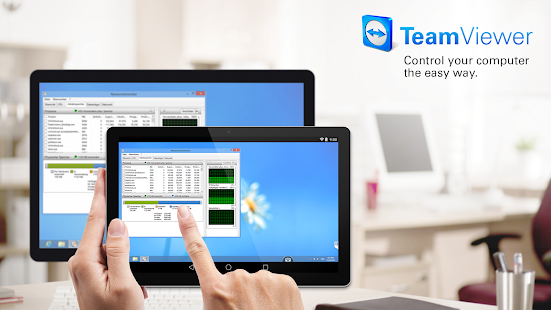
TeamViewer provides easy, fast and secure remote access to Windows, Mac and Linux systems. TeamViewer is already used on more than 200,000,000 computers worldwide.

You can use this app to:

- Control computers remotely as if you were sitting right in front of them.

- On the go support your clients, colleagues, and friends

- Gain access to your office desktop with all of the documents and installed applications

- Remotely administrate unattended computers (e.g. servers)

Features:

- Effortlessly access computers behind firewalls and proxy servers

- Intuitive touch and control gestures (including Windows 8 multitouch support)

- Full keyboard functionality (including special keys such as Windows®, Ctrl+Alt+Del )

- Transfer files in both directions

- Multi monitor support

- Sound and video transmission in real-time

- Highest security standards: 256 Bit AES Session Encoding, 2048 Bit RSA Key Exchange

- Plus so much more …

Quick guide:

1. Install this app

2. Install or start TeamViewer on your computer from our website

3. Enter your computer’s TeamViewer ID and password

This app has no advertisements

More Info TeamViewer for Remote Control v10.0.2938

You can directly download the apk file with torent modded or just in iMarketApk

Android APK Files [New] APK Market iMarketApk » TeamViewer for Remote Control v10.0.2938 Full And No Hack No Survey No ROOT

:

Code:

https://play.google.com/store/apps/d....market.mobile

Download Instructions:

Download Url

mirror:

Download Url

Read More..

Powered by Blogger.