Balancer Launcher v0 9 10 android apk

Balancer Launcher v0.9.10 for Android version 2.1 and higher
Balancer Launcher v0.9.10

Balancer Launcher is a Home(Launcher) app, like ADWLauncher,LauncherPro,Go Launcher,Launcher7,Zeam,Regina Launcher etc, which is focused on provide users a brief and useful Home.

The Launcher has smooth ui effect and perfect performance, it can launch application quickly.
Be compared with some other similar applications, It has better performance and do cut off some useless settings, we think a simple and cool application is what a user wanted excatly and we will try our best to create one for you.

Features:
* Support apps sort
* Can uninstall apps quickly
* Built-in File Browser
* Cool wallpapers
* good sunny clock widget

Tips:
1. Long click desktop icon can drag it into the bottom button.
2. Long click item of file browser item can enter into edit model.
3. if you have any ideas or suggestions, you can email us with "Contact Us " menu~

Whats in this version:
add FileExplorer dock
fix some bugs
More Info:
http://www.appbrain.com/app/balancer-launcher/com.ddna.balancer.launcher

Download :
Balancer Launcher v0.9.10

Mirror:
http://www.wupload.com/file/86160468
http://www.mirrorcreator.com/files/EMAPGXT3/b910.apk_links
Read More..

35 Basics tips for Mac Xs You must know

Need a little help figuring out your new iMac or MacBook? You’ve come to the right place.
Check out our updated survival guide for the basics on Mac OS X, including details on the latest “Mountain Lion” features, illustrated guides for updating and backing up your Mac, must-know tips, and more.

The basics

What is Mac OS X?

It’s the software that powers all the day-to-day features on your iMac or MacBook. Every time you click a menu at the top of the screen, open a folder on your desktop, or search for a document on your hard drive, you have the Mac operating system (or “OS”) to thank.

OK, so what does the “X” in “Mac OS X” stand for?

It stands for “10,” as in the Roman numeral—and specifically, it means we’re currently using the tenth major version of the Mac OS. Mac OS X first arrived for desktop Macs way back in 2001, and had been preceded by—you guessed it—Mac OS 9.
Install Mountain Lion now or wait 300x189 Mac OS X: All the basics, plus 35 must know tips & how tos
“Mountain Lion” is the latest version of Mac OS X, the software that powers your iMac or MacBook.

What is “Mountain Lion”?

Over the past dozen years, there have been seven big updates to Mac OS X, and the latest update, 10.8, is nicknamed “Mountain Lion.” Previous updates to Mac OS X have been named “Panther,” “Leopard,” “Snow Leopard,” and plain-old “Lion.” Yes, it’s safe to say that Apple has a thing for felines.
Anyway, Mac OS X “Mountain Lion” (which came out in July 2012) adds more than 200 new features to the Mac operating system, including a “Notification Center” with alerts for incoming e-mail and calendar alerts, voice dictation, text messaging with iPhone, iPad, and other Mac users, and the ability to “mirror” a newer Mac’s display to an Apple TV-connected HDTV.
Check out Apple’s rundown of the 200 new features in Lion right here.

Where to get Mountain Lion

Lion is available for download from the Mac App Store for $20.
About This Mac window 300x175 Mac OS X: All the basics, plus 35 must know tips & how tos
The “About This Mac” window will tell you is your Mac is new enough for Mountain Lion.

Can your Mac handle Lion?

Generally speaking, you’ll need an iMac or MacBook Pro that was manufactured no earlier than 2007, or a MacBook circa 2008 or later.
Specific iMac and MacBook models have different requirements, however; click here for more details.

How to install Mountain Lion

The Lion installation process is fairly straightforward, but it will require at least an hour of your time.
Once you purchase Mountain Lion from the Mac App Store, your system will download the update and alert you when it’s ready to begin the installation process. Just follow the prompts (there are only a few), sit back and wait. After a restart or two, your Mac should be all et.

How to back up your Mac

Don’t even thing of updating your Mac’s operating system without backing up your hard drive first. Luckily, backing up your hard drive is easy thanks for a Mac OS X utility called Time Machine; here’s how to use it.

35 must-know Mac tips and tricks

How to pause notifications on your Mac 300x194 Mac OS X: All the basics, plus 35 must know tips & how tos
You can pause your Notification Center alerts with a quick swipe and click.

1. How to pause all your Notification Center alerts

Want a break from all the banners and alerts from the Mac’s new Notification Center? You put all your notifications on “pause” with a simple swipe and click.

2. Getting the hang of desktop “spaces” in Mission Control

The Mac’s handy Mission Control feature lets you manage multiple desktop “spaces” at once, each filled with its own assortment of open documents and applications. Sounds confusing, I know. But once you get the hang of it, these additional, virtual desktops can become addicting—and even essential.

3. Why “natural” scrolling feels backwards—and how to turn it off

Does scrolling on your Mac feel backwards to you? Blame Apple’s new “natural” scrolling feature. Luckily, turning it off is a cinch.
How to get scroll bars back on a Mac 300x181 Mac OS X: All the basics, plus 35 must know tips & how tos
Wish you could get your scroll bars back? All you have to do is tweak the right setting.

4. How to get your missing scroll bars back

Hey, what happened to the scroll bars on your windows? Don’t worry—you can get them back in a few clicks.

5. 12 handy trackpad gestures you need to try

Want to zoom in on a web page, twirl a snapshot in iPhoto, sneak a peek at the desktop, or look up the definition of a head-scratching word? You can do all that and more with a simple swipe, “pinch,” or tap on your Mac’s trackpad.

6. Turn on your Mac’s speaking clock

Your Mac has a built-in speaking clock that will read you the time every hour, on the hour—or the half hour, or even quarter hour. Here’s how to turn it on.
Create a new Mac Mission Control desktop1 300x300 Mac OS X: All the basics, plus 35 must know tips & how tos
You can add a new Mission Control desktop with a little help from your mouse.

7. Create a new desktop in Mission Control

Making a new “space” in Mission Control, the Lion feature that gives you a bird’s eye view of all your virtual desktops, is easy—if you know where to look.

8. Pin an app to a specific Mission Control desktop

There’s a way to assign an app to a specific desktop in Mission Control, perfect for keeping your programs in their proper “spaces.”

9. How to paste your signature into a PDF, no scanner or printer required

Got a contract or some other document that you need to sign and return via email? Just snap a photo of your John Hancock with your Mac’s iSight camera (just about any recent iMac or MacBook should have one), then paste it into the document you need to sign.

10. 8 ways to make the most of the Mac desktop dock

Thanks to the handy Dock at the bottom of your Mac desktop, your favorite programs, files, and folders are never more than a click away—and if you know where to look, you can make the Dock behave practically any way you want.
How to turn on sticky keys 300x177 Mac OS X: All the basics, plus 35 must know tips & how tos
“Sticky Keys” make for a clever alternative to playing “Twister” with your fingers.

11. How to enable “sticky keys”

Having a tough time maneuvering your fingertips around multi-key combos like SHIFT + ALT + DELETE? The “sticky keys” feature in Mac OS X can help.

12. 5 ways to take a “Quick Look” at almost any file

Meet “Quick Look,” a handy, built-in Mac tool that lets you take a quick glance at almost any file or folder without committing to firing up a program.

13. 12 Mac keyboard shortcuts you need to know

Switch applications, take a “quick look” at a file, get help, and more, all without touching your Mac’s mouse or trackpad.

14. 6 ways to give your Mac desktop icons a makeover

Got a jumble of icons cluttering your Mac’s desktop? Are you desktop icons too big—or too small? Wish they would just arrange themselves? Help is here!

15. 5 ways to make the most of the sidebar

Looking to add your own folders to the Mac sidebar? Or perhaps you’d rather make the sidebar bigger, smaller, or just plain gone. Help is here!
How to make the mouse cursor bigger 300x211 Mac OS X: All the basics, plus 35 must know tips & how tos
Just dip into your Mac’s system settings to make the mouse pointer bigger.

16. How to boost the size of the mouse pointer

Want to save both your eyesight and your sanity? Here’s an easy way: by dipping into your system settings and boosting the size of the mouse pointer.

17. How to control your desktop with “Hot Corners”

Turn on the Mac’s hot-corner feature to jump to Mission Control, clear your desktop, and more, all with a simple flick of your fingertip.

18. How to “unthread” your e-mail conversations

It’s easy to “unthread” the mail conversations in your Mac’s Mail inbox messages—or at least it is once you know the setting you need to tweak.

19. How to disable the Caps Lock key

Sick of striking the Caps Lock key by mistake? The good news is that turning off Caps Lock for good on a Mac is easy.

20. How to stop programs from launching automatically

How long does it take for your Mac to start up? Too long? Maybe your Mac is trying to launch too many apps when it’s first starting up.
How to zoom the display on your PC or Mac 300x183 Mac OS X: All the basics, plus 35 must know tips & how tos
You can zoom your Mac’s display with a few keyboard combinations.

21. How to zoom the display

Squinting at your computer screen? You can zoom the entire display on your PC or Mac, a handy trick for anyone with iffy eyesight. Here’s how.

22. Choose your default web browser

Sick of having Safari pop up when you really wanted another browser, like Chrome or Firefox? There’s single, centralized place on your Mac where you can set your default web browser once and for all.

23. Create a “recent files” folder on your desktop

It’s easy to create a folder on your desktop that’ll display only the files you’ve created or worked with in the past day, week, month … you name it.

24. Set your Mac to automatically start up (or shut down) each day

Want to wake up each morning to a freshly brewed pot of coffee and a fully powered-on Mac? It’s easier than you might think.

25. 16 Mac keyboard shortcuts you need to know

Want to switch applications, empty the trash, search your hard drive, or put your Mac to sleep, all without touching your mouse? Read on for 16 keyboard shortcuts that’ll let you zip around your Mac like a pro.
How to use the function keys without Fn on a Mac 300x188 Mac OS X: All the basics, plus 35 must know tips & how tos
By tweaking a single setting, you can use your Mac’s function keys without having to press and hold the “Fn” key.

26. Use the function keys without pressing “Fn”

On most Mac keyboards, the function keys—you know, those keys along the top of the keyboard marked “F1,” “F2,” “F3,” and so on—don’t get the luxury of having an entire key to themselves. Want to switch things around so you don’t need to press and hold “fn” to use a function key? No problem.

27. Set multiple “home” or “start” pages for your web browser

Want more than just a single home page to appear when you fire up your web browser in the morning? No problem.

28. Cram a bunch of files into a single “zip” archive

Got a bunch of little files that you want to send to a friend? Well, you could always drag them all into an email and send them as attachments, but talk about messy. A cleaner, tidier alternative is to take all those little (or not-so-little) files and compress them into an archive—or, to be more specific, a “zip” archive.

29. Turn any printable document or web page into a PDF

It’s actually quite easy to convert a Word document into a PDF, and you won’t have to pay a dime to do it. In fact, here’s the rule of thumb when it comes to turning documents or even web pages into PDFs: if you can print ‘em, you can convert ‘em.
How to click with a tap on a Mac 300x200 Mac OS X: All the basics, plus 35 must know tips & how tos
Tapping to click takes getting used to, but it’s surprisingly addicting, not to mention easier on your fingers.

30. How to “click” the trackpad with a tap

Having a hard time clicking the MacBook’s squishy trackpad? If so, here’s an alternative: setting the Mac trackpad to “click” with a simple tap rather than an actual click.

31. Share files between nearby Macs with AirDrop

Got a file on one Mac that you’d like to send to another Mac just a few feet away? A built-in Mac feature called AirDrop lets you…well, “drop” a file from one Mac onto another.

32. Change the default programs for your files

Annoyed that the Mac’s Preview app, and not Adobe Reader, always gets to open your PDF files? There’s a way to permanently change the “default” program that opens a given type of document.

33. Customize the buttons in program toolbars

Ever wish there were a Print button next to the Reply and Forward buttons in the Mac’s Mail app, or a pair of Zoom buttons on the top of every Safari browser window? Well, here’s the thing: you can add, remove, and rearrange the buttons in the “toolbar” of several familiar Mac programs.
How to shuffle your Mac or PC desktop backgrounds 300x184 Mac OS X: All the basics, plus 35 must know tips & how tos
You can set your wallpaper to change at any interval you choose, from once a day to once every 5 seconds.

34. Put your desktop wallpaper on shuffle

Getting tired of the same old wallpaper on your Mac desktop? If so, try this: just set your Mac to shuffle some or all of your favorite desktop wallpaper (or “background”) photos, at any interval you choose.

35. 4 ways to right-click on a Mac trackpad

There are actually several different ways to right-click on the MacBook’s trackpad, which (nowadays, at least) is essentially one big button.

 35 Basics tips for Mac Xs You must know
Read More..

PhoneLocator Pro apk v3 1 download v3 1

PhoneLocator Pro v3.1 for Android 2.1+
Find your lost or stolen phone (auto enable GPS on rooted phones), makeit ring, remotely lockit, remotely wipeit, hide the app, know with whom the thief is speaking !
PhoneLocator

Find your lost or stolen phone (auto enable GPS on rooted phones), makeit ring, remotely lockit, remotely wipeit, hide the app, know with whom the thief is speaking !
THE KEYWORDS THAT YOU SET UP, ARE CASE SENSITIVE: if you choose the locate word to be "locate", sending "Locate" will not work, cause the first letter is in uppercase !!!!
* Remotely lock your device (only on Android 2.2 and forward)
* Lock device if an unregistered SIM is detected (only on Android 2.2 and forward)
* Lock device when display goes to sleep (only on Android 2.2 and forward)
* Remotely wipe the device (only on Android 2.2 and forward)
* Protection from being uninstalled (only on Android 2.2 and forward)
* Receive notification if the SIM card is changed in your device (all versions)
* Receive the details of the new inserted SIM (all versions)
* Get notified about the phone numbers that the thief is calling or receiving + the phone position on the time of call (all versions)
* Know who is calling you -if you forgot your phone at home (all versions)
* Find your nearby phone, left on silent or vibrate mode, by making it ring at maximum volume (all versions)
* Protect the ring nearby feature, with your app. password (all versions)
* The ring nearby can not be silenced with the volume keys (all versions)
* Receive Email & sms alerts for all the above (all versions)
* Auto enable GPS (for rooted devices only)
* Hide PhoneLocator from the applications drawer
*You can now install PhoneLocator, after the phone was lost !!!
Login into the web Android Market with your phone main Gmail account.
Install this application to your phone, remotely.
Send the "PLlocator" word to your phone, in a text message. It will respond back with the phone position.
The word is case sensitive, so be sure you send this exact word "PLlocator"
Only locator function can be used, if you install the app remotely. If you recover the phone, you can then setup, and use all the other functions.
No registration, no monthly fees !
One time payment, all the upgrades are free !
The labeled "only on Android 2.2 and forward" does not work in previous versions of Android, because they become available in SDK 2.2.
Reviewed by Android App Review Source.com: "http://bit.ly/m6Diqq"

FAQ: "http://www.phonelocatorpro.com/Android/FAQ.html"

Facebook page for news and tips:
"http://www.facebook.com/PhoneLocator"

What it can do video: "http://www.youtube.com/watch?v=pMQ5Cbv8SYE"

Quick setup video: "http://youtu.be/MTY6MWOUSxU"

Recent changes:
IMPORTANT ! REVEAL THE APP (IF IT IS HIDDEN), PRIOR TO UPGRADE !!!!
* fixed a bug that could arise on Greek and Russian locale, when the sms was not sent, because the text has become larger than 160 chars (because of the language special chars).

More Info:
http://phonelocatorpro.com/


Download :
PhoneLocator Pro v3.1
Read More..

Travel Book Antalya v1 0 Turkey SD Files

TravelBook Antalya v1.0 + SD-Files for android 1.5+
TravelBook Antalya v1.0 + SD-Files

Offline Travel Guide for Antalya (Turkey)
- Detailed street map (OpenStreetMap)
- Wikipedia POIs and articles
- Routing plus directions
- Local search (places,streets,POIs,etc.)
- All features require NO Internet connection
Hint: Install our free app "TravelDroyd" for a full-featured

More Info:
https://market.android.com/details?id=com.osa.android.travelbook.antalya&feature=search_result

Download : Files to SD/
TravelBook Antalya v1.0 + SD-Files
Read More..

How to archive new Gmail messages without opening Gmail

Archive Gmail in Android notifications pane Android tip: How to archive new Gmail messages without opening Gmail
Got the latest version of Gmail for Android? If so, you can now scan the first few lines of your email or even archive a message without actually opening Gmail.

First, you’ll need to make sure you’ve updated the Gmail app for Android to the latest version.
Launch the Play Store app on your handset, tap the three-dot menu button in the top-right corner of the screen, tap My Apps, and make sure Gmail is listed in the “Up to Date” section.
Also, keep in mind that your phone must be running Android version 4.1 or better for the new Gmail notifications to work. To check your handset’s Android version, tap Settings, “About phone,” then check the number next to “Android version.”
Opening a Gmail notification in Android 300x195 Android tip: How to archive new Gmail messages without opening Gmail
Just tap and hold, then drag down to reveal the Archive and Reply buttons.

All set? Now, the next time you get a new Gmail message, try this:
  • Swipe down from the top of the screen to open the Notifications pane; you should see an entry for the Gmail message you just received.
  • Tap and hold the notification, then pull down until you see the first few lines of the message, along with the Reply and Archive buttons. (Note: If a specific Gmail alert combines multiple new messages, the Reply and Archive buttons might not appear.)
  • Tap Archive, and the message will be immediately filed in your All Mail directory. Tap the Reply button, and Gmail will open directly to a newly composed reply.
Source: http://heresthethingblog.com
How to archive new Gmail messages without opening Gmail
Read More..

twicca v0 9 13a RC2 twitter Client for Android

twicca v0.9.13a-RC2 for all android versions
twicca v0.9.13a-RC2twicca v0.9.13a-RC2

After update to 0.9.4f, Please re-authenticate for DM Access.
---------------------------------------------
twicca is twitter Client for Android™.
Features:

* Notification
* Auto pager
* Search
* Post with photo/video upload(yfrog)
* Shorten URL
* Geo tagging
* Saved searches
* Recent hashtags
* Reply history
* Lists
* Retweet
* Color label
* Managing twitter profile
* Trending topics
* Local trends
* Extending function by plug-in
* Widget
* Uploading profile icon
* Report for spam
* Block user
* Image Preview
* Geotagging with map preview
* Tweet filtering(Mute)

Experimental features:
* Multiple account support.
* Launch from status bar
* twitpic video preview
* New line
----

twicca is looking for supporters for the future development and maintenance. For more information, menu -> more -> twicca supporters.

* Career settlement may not work.

----

* If you install to external storage, you might not be able to use some features.

* Launcher icon and notification icon was changed to follow Twitter trademark guideline. - "http://support.twitter.com/articles/77641"

* If widget is something wrong, please delete it and put new widget to home again.

Twitter: @twicca_en

Recent changes:
v0.9.13
Support t.co link(without search timeline.)
Support pic.twitter.com for image preview.
Some issues were fixed.
Less description »

Latest version: 0.9.13a-RC2 (for all Android versions, supports App2SD)

More Info:
http://www.appbrain.com/app/twicca/jp.r246.twicca


Download :
twicca v0.9.13a-RC2

Mirror:
http://www.filesonic.com/file/1686906954/t0913aRC2.apk
http://www.multiupload.com/GS0MX4FP1T
Read More..

Pillars of Digital Leadership Series Public Relations

This post is the second in a series that will outline the foundational elements of my new book, Digital Leadership: Changing Paradigms for Changing Times.  It is set to be published by Corwin Press on January 14, 2014.  Currently there is a pre-publication discount of 15% for any orders before this date.  Over the next couple of weeks I will introduce what I have come to identify as the Pillars of Digital Leadership, a conceptual framework for leaders to begin thinking about changes to professional practice.  My book will focus on each of these elements as part of a change process. It will illustrate them in action through the work of practitioners and provide implementation strategies. To view the entire series click HERE.


Pillar #2 - Public Relations

If you don’t tell your story someone else will.  More often than not, when someone else tells your story, nine out of ten times, it is one that you don’t want told.  This is the reality for virtually every school leader.  In the past I feared and dreaded the roll of public relations as the typical situation played out time and time again.  No matter how much progress we made, or success we experienced, it was always that one negative story that would dominate the media coverage and sway public opinion.  I can vividly remember each news situation that completely blew things out of proportion and greatly distracted from the meaningful and significant work that was occurring on a daily basis.  


Image credit: http://smp4u.wordpress.com/author/jessicafelicekamm/

There is a fundamental problem with the mainstream media when it comes to public relations.  That problem is that they are a business.  In order to generate business they must create and promote stories that capture the attentions of their intended audience.  Make no mistake about it, the media wants and needs to make money.  When it comes to education the most controversial and negative stories are the ones that attract viewers and in turn generate revenue.  I dont know about you, but I grew quite resentful of the media in the past as they would be so quick to call my office to comment on a negative situation, but would not give me the time of day when I had a positive story for them to cover.  Sound familiar?

Thankfully this all changed in late 2009 as I discovered the power and value of using social media as a public relations tool.  I began to generate our own news related to New Milford High School and quickly learned of the many tools available that could be used at anytime from anywhere to tell our story.  In essence, I became the storyteller-in-chief.  As a result of the innovative work my students and teachers were engaged in, I discovered that there was an abundance of newsworthy content that my stakeholders craved.  Instead of reaching out to the media to cover these stories, we in essence became the media using mainstream tools such as Twitter, Facebook, YouTube.  As social media has evolved so too has our public relations strategy as we are now integrating Instagram, Pinterest, and Tumblr to tell our story.  

The end result is that the media now comes to us and/or follows our social media channels to capture our story. Since taking control of our public relations at NMHS in 2009, the NYC, CBS, and NBC affiliates as well as USA Today, USA Weekend, Education Week, and Scholastic Administrator have all reported on positive news stories.  I have literally lost count of additional media coverage, as it has become the norm.  It has also led to the establishment of professional relationships with reporters who want to tell accurate and positive stories about innovative schools.  

Chapter 6 in my book takes a detailed look at how digital leaders leverage available social media tools to enhance public relations. It places an emphasis on the work of John Carver and how he has become a public relations juggernaut for two different districts in Iowa. It also breaks down the strategies and tools that I use on behalf of my school to tell our story. Community and transparency are the bedrocks of public relations in the digital age.  This fact makes social media a natural fit.

How are you using social media for public relations?

Read More..

New APK Market iMarketApk » free uncommen

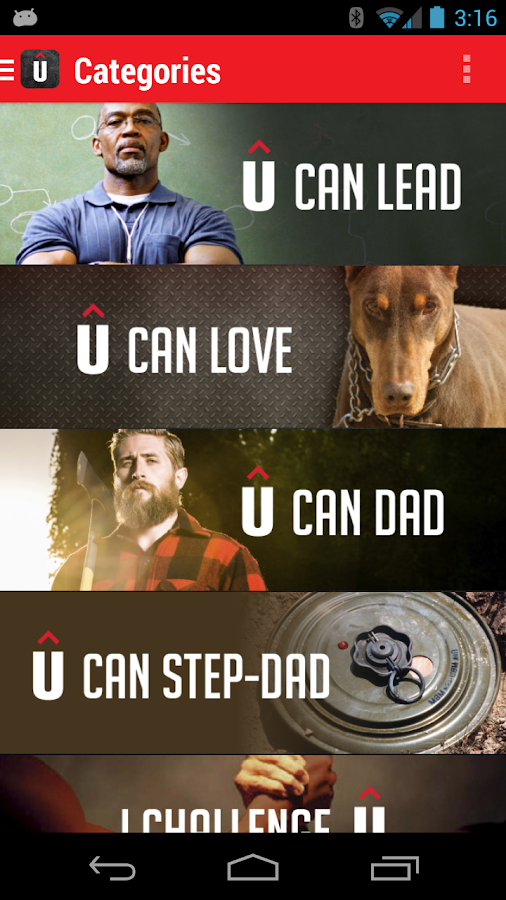
A cool new app UNCOMMEN

★★★ Introducing UNCOMMEN ★★★

Free APK [free] uncommen:

Please note this app not intended to be experienced alone. Guys, invite in a few friends and start challenging one another to win! Contact us at uncommen.org/contact with any bugs or suggestions.

Men have an inherent drive to win, to rise above the challenges that come their way—whether on the battlefield, in the board room, or in fantasy football. We believe men want to be uncommon, to win as husbands, fathers, and friends as well, but sometimes lack the tools and the camaraderie needed for success.

Thats why Uncommen exists. Through fun, über-manly challenges, our app gives dudes the opportunity to compete and win in ways that count.

Are you ready to step up and take the uncommon challenge? Are you ready to lock arms instead of trying to go it alone? Are you ready to slay the status quo?

If so, Uncommen is for you. Think of it as Fantasy Football with your friends for your family. Challenge Each other to win in the game of life. Chant, "We Can Do This!" Trash talk, "Keep Trying!" and win every match against your rival (lifes challenges). Get expert coaching from our Hall of Fame dads and become the champion society needs you to be. Were cheering for you. Be an uncommon man. Be Uncommen.

Link to google play: https://play.google.com/store/apps/d...ation.uncommen

Requires Android: 4.0 and up

I recommend you to download this new and awesome app.

Enjoy!!

Read More..

How to add a contact to your Android home screen

Who needs phone favorites when you can just add a one-touch shortcut for your most important contacts, friends, and loved ones to your Android phone’s home screen?
Android contact shortcut 300x238 Android tip: How to add a contact to your home screen
Add a contact shortcut to your Android phone’s home screen for one-touch access to phone numbers, email addresses, URLs, and more.

Good question—and indeed, the ability to pin a contact directly to your home screen is such a no-brainer that I can’t believe it’s still not possible on an iPhone (or not without a third-party app, at least).
Anyway, adding a shortcut for a contact to your Android phone’s home screen is a snap.
Here’s how…
  • Open the People app on your Android phone, then browse or search for a specific contact. (Note: these steps may vary depending on the make and model of your Android phone. I tested this tip on a Samsung Galaxy Nexus running on Android version 4.2.2.)
  • Found the right contact? Tap the name, then tap the three-dot menu in the top-right corner of the screen.
  • Tap the “Place on Home Screen” option.
  • Android People app options 293x300 Android tip: How to add a contact to your home screen
    You can add a contact to your Android phone’s home screen in just a few taps.
  • Go back to your home screen to find the new shortcut for your contact. Can’t find it? If your main home screen is too cluttered, your contact may be sitting on a secondary screen; just flick left or right to shuffle through them all.
  • Tap the shortcut to get a pop-up window with a menu of phone numbers; tap one to make a call, or tap one of the little messaging icons on the right to compose a new text message. You can also tap the Gmail, Google Maps, and web tabs for email addresses, street addresses, and relevant URLs.
  • Don’t want a particular contact shortcut on your home screen anymore? Tap and hold it, then drag it up to the “Remove” icon near the top of the screen.

Bonus tip

Want to take all the contact icons on your various home screens and group them together? Just tap, hold, and drag one contact icon on top of another to create a new home-screen folder, then give it a name (like “My Favorites”).

From heresthethingblog.com
How to add a contact to your Android home screen
Read More..

Spesifikasi dan Harga Cross A2 Android Dual SIM Kamera 5MP

Spesifikasi dan Harga Cross A2, Android Dual SIM Kamera 5MP
Spesifikasi dan Harga Cross A2, Android Dual SIM Kamera 5MP. Tahun 2013 merupakan salah satu tahun yang juga menjadi kebangkitan vendor ponsel lokal. Seperti Cross yang saat ini kembali meluncurkan beberapa ponsel smartphone lokal yang menargetkan akan menjadi primadona pangsa pasar Indonesia. 

Baru-baru ini saja, Cross mengenalkan ponsel terbaru miliki mereka yang bernama Cross A2, Smartphone Android Dual SIM Kamera 5MP yang memiliki layar 5 inci layaknya smartphone terkenal vendor luar seperti Samsung. Nah, kali ini klik-gadget akan sedikit membahas ponsel satu ini dengan review singkat. Simak saja ulasan berikut ini tentang apa saja yang akan dibawa Cross A2 ini.

Jika dilihat sekilas, Smartphone dari Cross ini memiliki kelebihan di sisi lebar layar yang dimilikinya. Karea Cross memberikan layar selebar 5 inci pada Cross A2 ini. Namun sayangnya, walaupun layarnya memiliki lebar yang sangat besar, resolusi yang diberikan hanya sekelas 480 x 800 piksel saja. Tapi cukup bisa diacungi jempol, karena memiliki fitur multitouch 5 poin yang bisa dibanggakan. Sehingga, pengguna tidak terlalu di pusingkan.Bentuk dari ponselnya juga cukup cantik dengan beberapa perpaduan warna yang bisa dipilih.

Walaupun layarnya tidak terlalu maksimal, Cross masih memberikan dukungan yang cukup berani pada sisi performa. Seperti pada prosesor yang disematkannya memiliki kecepatan 1GHz dan juga dukungan sebesar 512MB untuk memberikan kecepatan pada proseso kinerja. Selain itu juga, untuk memberikan dukungna yang lebih maksimal, Cross membekalkan Cross A2 dengan OS Ice Cream Sandwich yang powerfull. Dengan perpaduan ini, Cross A2 memiliki kinerja yang seimbang.

Lalu pada sisi multimedia, Cross memberikan dua kamera di kedua sisinya. Untuk sisi belakang, anda dapat menemukan kamera sekelas 5 Megapiksel yang dapat anda gunakan untuk mengabadikan momen-momen penting anda. Juga terdapat kamera depan yang memiliki kualitas VGA yang bisa anda gunakan untuk melakukan video call.

Kelebihan dan Kekurangan Cross A2

Kelebihan :
- Dual Kamera
- Harga Murah
- OS Ice Cream Sandwich
- Layar lebar
- Dual SIM

Kekurangan :
- Resolusi masih tergolong kecil


Harga Cross A2
Fitur yang dimiliki Cross A2 memang cukup mumpuni untuk digunakan sehari-hari untuk teman bekerja ataupun untuk berfoto ria. Harga yang dibanderol oleh Crosspun juga cukup sepadan dengan apa yang didapatkan. Karena Cross membanderol ponsel ini dengna harga sekitar Rp. 1.100.000 saja. Atau anda memilih ponsel dari vendor luar seperti Samsung Galaxy Ace 2 i8160.

Spesifikasi Cross A2
GENERAL
Network GSM 900/1800/1900 MHz, 3G WCDMA 2100 MHz
LAYAR
Tipe TFT Capacitive Touchscreen
Ukuran 5 inci,WVGA (480×800 piksel), Multi-touch 5 point
DIMENSI
Ukuran/Berat -
AUDIO
Fitur Vibration, MP3/Polifonik Ringtones
Jack 3,5 mm Jack Audio
Speakerphone Ya
MEMORY
Internal 4 GB, 512 MB RAM
Eksternal microSD, up to 32 GB
DATA
3G HSDPA, HSUPA
EDGE Ya
GPRS Ya
WLAN Wi-Fi 802.11 a/b/g/n, Wi-Fi hotspot
Bluetooth Ya, with A2DP
Infrared Tidak
USB/Port microUSB v2.0
KAMERA
Primer 5 MP, autofocus, LED flash, geo-tagging, face detection
Sekunder VGA
Video Record Ya
BATERAI Tipe
Standard battery, Li-Ion
Standby -
Talk Time -
FITUR OS Android 4.0 Ice Cream Sandwich
CPU 1GHz
Browser HTML
GPS Ya, with A-GPS
Messaging SMS (threaded view), MMS, Email, IM, Push Email
Java Via Java Emulator, Fitur tambahan: Radio FM Google Play Store, Gmail, Google Maps, YouTube, GPS, light sensor, proximity sensor, 3D gravity sensor, E-Compass, tethering dan portable hotspot, video chat, calendar, calculator, alarm clock, game
FITUR LAINMultiple SIM Dual SIM GSM Dual stand-by
Video Player MP4/H.264/H.263 player
MP3 Player MP3/WAV/eAAC+ player
Audio Record Ya
TV Tidak
Read More..

Spesifikasi dan Harga Lenovo Vibe X September 2013

Spesifikasi dan Harga Lenovo Vibe X September 2013
Spesifikasi dan Harga Lenovo Vibe X September 2013, Klik-Gadget hari ini akan memberi informasi terbaru tentang Harga Lenovo Vibe X bulan ini dan Spesifikasi Lengkap Lenovo Vibe X. Gadget Terbaru dari Lenovo Vibe X Spesifikasi, fitur dan info harga akan kami sajikan pada pastingan kali ini. Lenovo perkenalkan perangkat terbaru mereka dengan spesifikasi yang sangat mumpuni apalagi kalau bukan Lenovo Vibe X yang mengusung konsep jaringan 3G HSDPA memiliki tingkat kecepatan koneksi yang sangat luar biasa. Akses data bisa dikatakan sebagai kebutuhan utama saat seseorang akan memilih sebuah smartphone. Kebutuhan Smartphone saat ini sangat tinggi dan hampir sebagian besar penggunannya menyukai kecepatan mulai dari konektifitas dan performa mesin.

Nah, performa mesin seperti apa yang diusung oleh Lenovo Vibe X ini? ternyata Lenovo bukan vendor yang “kudet”  prosesor yang digunakan sudah mengusung Quad-core 1.5 GHz dan dibarengi RAM 2GB. Setelah itu, ternyata kapasitas memori yang digunakan juga cukup mumpuni dengan keleluasaan 16GB namun hal yang disayangkan adalah tanpa slot microSD mungkin ini maksudkan bahwa smarphone ini ditujukkan pada segmen orang yang menyukai fitur bukan sebagai kebutuhan penyimpanan data dimana masa-masa orang banyak menyimpan musik Mp3 di dalam dokumen ponselnya. Untuk solusi musik, sebenarnya dengan kecanggihan saat ini bisa mendengar via online lebih asik dan kaya konten.

Namun kita tetap tidak boleh melewatkan kamera yang digunakan oleh perangkat yang sudah mengusung Android v4.2 Jelly Bean ini, dengan berbekal sensor 13 megapixel pada bagian utama dan 2 megapixel pada secondrynya semakin memantapkan untuk digunakan. Sementara ini harga terkait berapa yang akan dibandrolkan masih belum terungkap.

Spesifikasi Lenovo Vibe X:
GENERAL 2G Network GSM 850 / 900 / 1800 / 1900
3G Network HSDPA
SIM Micro-SIM
Announced 2013, September
Status Coming soon. Exp. release 2013, Q4
BODY Dimensions 6.9 mm thickness
Weight 120 g (4.23 oz)
DISPLAY Type IPS LCD capacitive touchscreen, 16M colors
Size 1080 x 1920 pixels, 5.0 inches (~441 ppi pixel density)
Multitouch Yes
Protection Corning Gorilla Glass 3
SOUND Alert types Vibration; MP3, WAV ringtones
Loudspeaker Yes
3.5mm jack Yes
MEMORY Card slot No
Internal 16 GB, 2 GB RAM
DATA GPRS Yes
EDGE Yes
Speed HSPA+
WLAN Wi-Fi 802.11 a/b/g/n, dual band, Wi-Fi hotspot
Bluetooth Yes, v4.0 with A2DP
USB Yes, microUSB v2.0, USB On-the-go
CAMERA Primary 13 MP, 4128 x 3096 pixels, autofocus, LED flash
Features Geo-tagging, touch focus, face detection
Video Yes, 1080p@30fps
Secondary Yes, 5 MP
FEATURES OS Android OS, v4.2 (Jelly Bean)
Chipset MTK MT6589T
CPU Quad-core 1.5 GHz
Sensors Accelerometer, proximity, compass
Messaging SMS(threaded view), MMS, Email, Push Mail, IM, RSS
Browser HTML5
Radio TBD
GPS Yes, with A-GPS support
Java Yes, via Java MIDP emulator
Colors Black/Silver
- SNS integration
- Active noise cancellation with dedicated mic
- MP4/WMV/H.264/H.263 player
- MP3/WAV/WMA/eAAC+ player
- Organizer
- Image/video editor
- Document viewer
- Google Search, Maps, Gmail,
YouTube, Calendar, Google Talk
- Voice memo/dial
- Predictive text input
BATTERY
Stand-by
Talk time

Terimakasih untuk sobat klik gadget yang sudah membaca artikel mengenai Spesifikasi dan Harga Lenovo Vibe X September 2013, Mudah mudahan bisa bermanfaat untuk sobat klik-gadget dan para pecinta gadget di tanah air tercinta.
Read More..

Harga dan Spesifikasi Sony Xperia Miro

WarnaGadget - Sony Xperia Miro adalah salah satu smartphone tipe terbaru yang harganya cukup terjangkau untuk kalangan menengah ke bawah.

Sony Xperia Miro sebanding dengan Sony Xperia Tipo yaitu sebagai versi pendahulunya yang dibandrol dengan harga kisaran Rp 1.500.000,- Bagi anda yang ingi membeli atau sekedar mengetahuinya Xperia Miro silahkan simak harga dan spesifikasi lengkap sony xperia miro.

Spesifikasi Sony Xperia Miro


Kelebihan dan kekurangan yang bisa beda-beda sesuai sisi mana kita melihatnya, selengkapnya bisa dilihat pada tabel dibawah ini:

Jaringan
2G
GSM 850 / 900 / 1800 / 1900
3G
HSDPA 900 / 2100
Layar
Tipe
LED-backlit LCD, capacitive touchscreen, 16M colors
Ukuran
320 x 480 pixels, 3.5 inches
Dimensi
Ukuran 
13 x 59.4 x 9.9 mm
Berat
110 g
Memory
Internal
4 GB storage (2.2 GB user available), 512 MB RAM
External
Slot Micro SD card up to 32GB
Kamera
Primer
5 MP, 2592 x 1944 pixels, autofocus, LED flash
Sekunder
VGA
Data
3G
HSDPA, 7.2 Mbps; HSUPA, 5.76 Mbps
EDGE
Up to 237 kbps
GPRS
Up to 86 kbps
WLAN
Wi-Fi 802.11 b/g, Wi-Fi hotspot
Bluetooth
v2.1 with A2DP, EDR
USB
v2.0 microUSB
Fitur
OS
Android OS, v4.0.4 (Ice Cream Sandwich)
CPU
Qualcomm MSM7225A, 800 MHz Cortex-A5
Browser
HTML5
GPS
Ya, A-GPS
Messaging
SMS(threaded view), MMS, Email, Push Mail, IM
Java
via Java MIDP emulator
Baterai
Tipe
Standard battery, Li-Ion 1500 mAh
Standby
Up to 470 h (2G) / Up to 545 h (3G)
Talk Time
Up to 5 h (2G) / Up to 6 h (3G)
Harga
Baru
Rp. 1.675.000,-
Bekas
Rp. 1.150.000,-

Harga Sony Xperia Miro


Ponsel ini dibandrol kisaran harga baru yaitu sekitar Rp. 1.675.000,-  bisa berbeda sesuai ketentuan toko penjual. Untuk harga bekas akan ada dikisaran bawah harga tersebut, tentu saja karena untuk harga bekas di tentukan dari keadaan ponsel itu sendiri.
Read More..

Spesifikasi dan Harga Tablet Alcatel One Touch T10 Terbaru 2013

Spesifikasi dan Harga Tablet Alcatel One Touch T10 Terbaru 2013
Spesifikasi dan Harga Tablet Alcatel One Touch T10 Terbaru 2013, Klik-Gadget hari ini akan memberi informasi terbaru tentang Harga Alcatel One Touch T10 bulan ini dan Spesifikasi Lengkap Alcatel One Touch T10. Gadget Terbaru dari Alcatel One Touch T10 Spesifikasi, fitur dan info harga akan kami sajikan pada pastingan kali ini. Alcatel One Touch T10 – Perangkat tablet Android yang semakin banyak diminati membuat banyak vendor yang berlomba dalam merilis perangkat tablet. Mulai dengan yang dibanderol dengan harga yang tingggi, hingga tablet Android yang dibanderol dengan harga murah. Salah satu perangkat tablet yang dibanderol dengan harga yang cukup murah adalah Alcatel One Touch T10 besutan Alcatel.

Namun karena dibanderol dengan harga yang murah dan ditujukan untuk kalangan pemula, tentunya Alcatel One Touch T10 dibekali dengan spesifikasi yang tidak terlalu istimewa. Dari sisi konektivitas, tablet Android yang memiliki layar berukuran 7 inchi dengan resolusi 480 x 800 piksel ini tidak dibekali dengan dukungan jaringan 3G, namun Anda bisa menggunakan layanan jaringan GPRS, EDGE, dan Wi-Fi. Tablet ini juga dilengkapi dengan Bluetooth dan microUSB V2.0 sebagai konektivitas lokalnya.

Nilai minus lainnya dari Alcatel Oe Touch T10 adalah sektor kameranya yang hanya memiliki kamera utama VGA beresolusi  640×480 pixels tanpa didampingi dengan kamera kedua. Selain itu, kinerjanya hanya akan didukung oleh dapur pacu berupa Chipset Rochip RK2918, CPU 1 GHz Cortex-A8, GPU Vivante GC800 yang masih menggunakan Android 4.03 Ice Cream Sandwich sebagai sistem operasinya. Tablet yang tidak dibekali dengan slot kartu SIM ini akan diperkuat oleh baterai berkapasitas daya 3000 mAh dan akan dibanderol dengan harga Rp 1,6 jutaan.

Spesifikasi Alcatel One Touch T10
Jaringan 2G N/A, tanpa kartu SIM No
Dimensi 192 x 117.6 x 11.3 mm
Berat 340 gram
Layar tipe TFT capacitive touchscreen, resolusi 480 x 800 pixels, 7.0 inchi (~133 ppi pixel density), Multitouch
Audio ringtone N/A, Loudspeaker, 3.5mm jack
Memori eksternal microSD hingga 32 GB, Internal 4 GB (2.1 GB user available), 1 GB RAM
Data tanpa GPRS, tanpa EDGE, Wi-Fi 802.11 b/g/n, tanpa Bluetooth, microUSB v2.0
Kamera utama VGA, 640×480 pixels, Video, tanpa kamera kedua
OS Android v4.0.3 (Ice Cream Sandwich)
Prosessor Chipset Rochip RK2918, CPU 1 GHz Cortex-A8, GPU Vivante GC800
Sensors Accelerometer
Perpesanan Email, IM
Lain-lain Browser HTML, Java dengan Java MIDP emulator
Warna Black/Silver
Fitur tambahan SNS integration, MP3/AAC+/WAV/WMA player, MP4/H.264 player, Document viewer, Photo viewer/editor, Organizer, Voice memo, Predictive text input
Baterai Non-removable Li-Ion 3000 mAh

Terimakasih untuk sobat klik gadget yang sudah membaca artikel mengenai -judul-, Mudah mudahan bisa bermanfaat untuk sobat klik-gadget dan para pecinta gadget di tanah air tercinta.
Read More..

Spesifikasi Galaxy S4 Active

Spesifikasi Galaxy S4 Active, Klik-Gadget hari ini akan memberi informasi terbaru tentang Harga Galaxy S4 Active dan Spesifikasi Lengkap Galaxy S4 Active. Gadget Terbaru dari Galaxy S4 Active Spesifikasi, fitur dan info harga akan kami sajikan pada pastingan kali ini. Akhirnya setelah lama di rumorkan Galaxy S4 Active resmi di rilis. Smartphone milik samsung ini adalah suksesor dari flagship Galaxy S4 yang memiliki kemampuan mantap Tahan terhadap rendaman Air dan debu. Ponsel pintar ini juga sudah mengantongi sertifikasi IP67, sudah di pastikan bahwa Samsung Galaxy S4 Active memiliki kemampuan bertahan di dalam air hingga kedalaman 1 meter selama 30 menit.

Spesifikasi Galaxy S4 Active
Namun meskipun perangkat ini suksesor dari Generasi Galaxy S4 dari segi design sangat berbeda mencolok. Galaxy S4 Active memiliki tiga tombol fisik berupa tombol menu, home dan back. Apabila anda perhatikan pada bagian back bodynya sangat tajam dan elegan setiap patahan sudut lekuknya cocok bagi pencinta Adventure di alam karena terlihat “macho”. Kelengkapan lainnya yang dipasngkan pada Galaxy S4 Active adalah dengan adanya jack earphone yang tahan air.

Spesifikasi yang diusung oleh  Samsung Galaxy S4 Active juga sangat menarik, terutama usungan pada bagian layar bermodel TFT LCD yang memiliki diagonal 5 inci Full HD (443 PPI), serta kinerja mesin yang akan ditopang oleh prosesor quad-core 1,9GHz, RAM 2GB, memori internal 16GB + slot micro SD, OS Android 4.2.2 dengan sentuhan khas TouchWiz, serta memiliki baterai dengan kapasitas 2.600mAh. Kemudian yang lainnya adalah sudah mengusung teknologi ‘Glove Touch’, layar Galaxy S4 Active tetap bisa dioperasikan meski pengguna sedang memakai sarung tangan sekalipun.

Bagi anda yang suka memotret pemandangan, sudah disediakan kamera utama pada bagaian belakang dengan sensor 8MP yang diperlengkap dengan flash LED dan kamera depan 2MP. Adapun fitru kamera yang dihadirkan adalah berupa ‘Aqua Mode’. Sehingga dengan keberadaan fitur ini memungkinkan anda untuk mengambil gambar atau merekam video di dalama air dengan hasil Qualitas High.

Terimakasih untuk sobat klik gadget yang sudah membaca artikel mengenai Spesifikasi Galaxy S4 Active, Mudah mudahan bisa bermanfaat untuk sobat klik-gadget dan para pecinta gadget di tanah air tercinta.
Read More..

Spesifikasi dan Harga Hp Cross Andromeda A7 Terbaru 2013

Spesifikasi dan Harga Hp Cross Andromeda A7 Terbaru 2013
Spesifikasi dan Harga Hp Cross Andromeda A7 Terbaru 2013, Klik-Gadget hari ini akan memberi informasi terbaru tentang Harga Hp Cross Andromeda A7 bulan ini dan Spesifikasi Lengkap Hp Cross Andromeda A7. Gadget Terbaru dari Hp Cross Andromeda A7 Spesifikasi, fitur dan info harga akan kami sajikan pada pastingan kali ini. Salah satu Smartphone lokal yang cukup mempunyai performa yang sangat baik dengan menyuguhkan harga yang sangat terjangkau adalah Cross Andromeda A7. Smartphone milik Cross ini menghadirkan fitur yang tidak terlalu baik tetapi menyuguhkan Spesifikasi yang cukup dengan harga yang ditawarkan sangat minim. Apa saja spesifikasi yang dimiliki oleh Smartphone lokal yang satu ini? Kami sudah memberikan beberapa review dari apa saja yang dimiliki oleh Cross Andromeda A7 ini.

Pada layar yang dimiliki oleh Smartphone ini sudah menggunakan layar yang mempunyai teknologi IPS dengan kedalaman 16juta warna. Walaupun resolusi yang dimiliki oleh layar ini hannya 480 x 800 pixels dengan luas hanya 4.3 inci. Layar pada Cross Andromeda A7 ini sudah memberikan gambar yang cukup jernih.

Untuk urusan dapur pacu yang dimiliki oleh Smartphone ini juga sudah menggunakan prosesor MTK6575 Cortex A9 yang mempunyai kecepatan 1 GHz yang akan dibantu dengan kehadiran memory RAM sebesar 512 Mb yang akan selalu siap menemani kerja prosesor menjadi lebih cepat dan lebih optimal. Smartphone Cross Andromeda A7 ini cukup memiliki performa yang sangat baik dengan spesifikasi yang dimilikinya itu. Ditambah dengan kehadiran memory Internal yang terbilang kecil hanya mempunyai kapasitas 512Mb yang dapat anda tambah dengan kehadiran slot memory External yang menggunakan MicroSD dengan kapasitas maksimal hingga 32Gb.

Untuk urusan kamera yang dimiliki oleh Cross Andromeda A7 ini menghadirkan dual kamera yang menghadirkan kamera denga kekuatan 5Mp yang terletak pada bagian belakang Smartphone ini dan juga menghadirkan kamera yang mempunyai kekuatan lensa 1.3Mp. Dengan tersedia juga jaringan 3G yang dimiliki oleh Smartphone dari Cross ini, diharapkan para pengguna Smartphone ini sudah dapat menjelajah dunia Internet dengan sepuasnya. Ditambah dengan kehadiran fitur Wifi yang dimilikinya anda dapat memanfaatkan sinyal Hotspot yang ada untuk menjelajah lebih leluasa.

Untuk masalah haarga yang ditawarkan oleh Smartphone ini dapat terbilang sangat murah jika kita membandingkan dengan spesifikasi yang dimilikinya. Hanya dengan mengeluarkan dana sebanyak Rp 1.300.000 anda sudah dapat memiliki Smartphone Cross Andromeda A7 ini.

Terimakasih untuk sobat klik gadget yang sudah membaca artikel mengenai Spesifikasi dan Harga Hp Cross Andromeda A7 Terbaru 2013, Mudah mudahan bisa bermanfaat untuk sobat klik-gadget dan para pecinta gadget di tanah air tercinta.
Read More..

Powered by Blogger.